

Adding a new external connection
External connections represent physical (L1) ports in the network fabric that act as uplinks outside of the network fabric. By configuring an external connection for a Logical Network the VLANs/VNIs configured will be terminated on the respective external connection.
To configure an external connection:
- Log into the Admin UI, click on
Fabrics, click on the fabric you wish to configure and click onExternal Connections - Click
Add external connection

- Fill in a name and a label and click
Add external connection - Click
editon the newly created external connection - Go to the
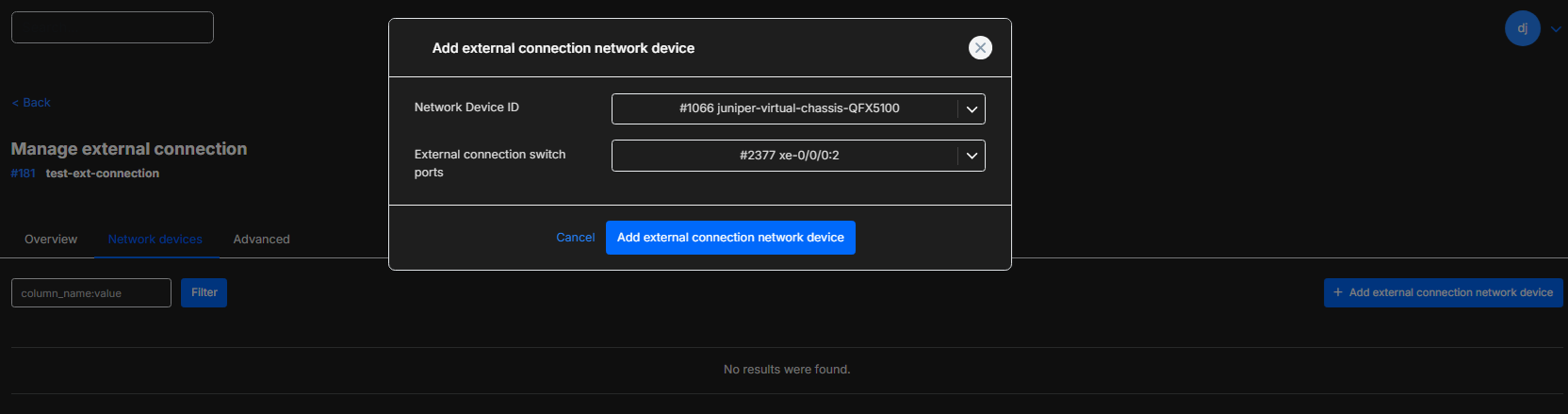
Network devicestab - Click
Add external connection network device

- Select the network device ID and input the ports that will be used for external connections on that switch and click
Add external connection network device
Adding an external connection to an Infrastructure
Section titled “Adding an external connection to an Infrastructure”- Log into the Consumer UI by clicking on your initials in the top right and selecting
Infrastructure designer - Click on
Add elementand select the network you wish to use.
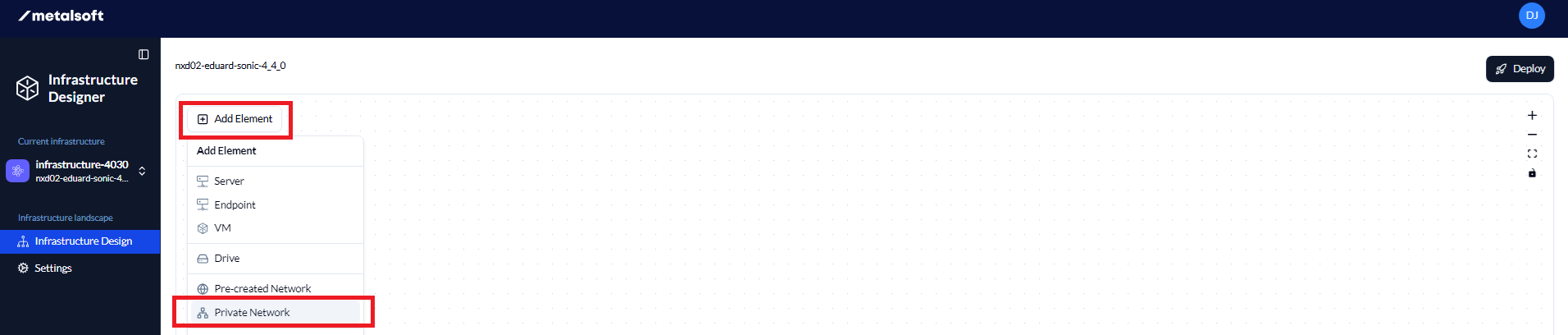
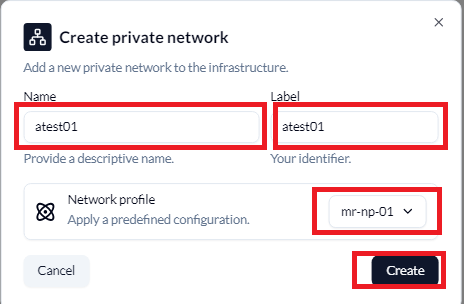
- If selecting a Private network, fill in the Name, the Label and select the Network profile and click
Create
- Click on the network on the diagram, click on
External Connectionsand click onAttach Connection, select the External Connection and click onAttach Connection
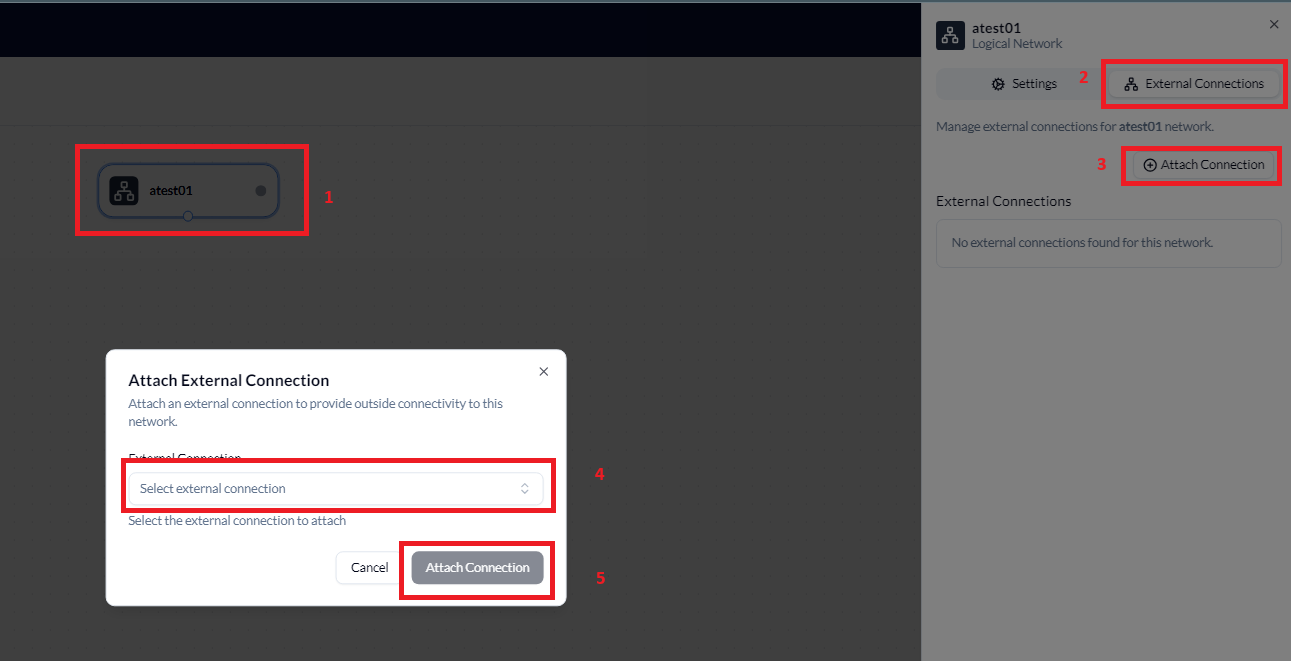
- The External connection will now show
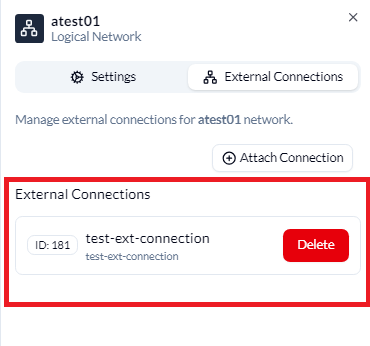
Once complete, the infrastructure can now be deployed or the External connection can now be deleted.