

Connecting to the API
MetalSoft uses an OpenAPI REST-based API.
To get started quickly, use the Postman collections:
- Redoc documentation
https://<environment_hostname>/api/v2/redoc - Swagger documentation
https://<environment_hostname>/api/v2/swagger
The API endpoint
Section titled “The API endpoint”The API endpoint is found at:
https://<environment_hostname>/api/v2
Retrieving your API key and connecting to the endpoint
Section titled “Retrieving your API key and connecting to the endpoint”Log in, then click API credentials in the upper right corner.
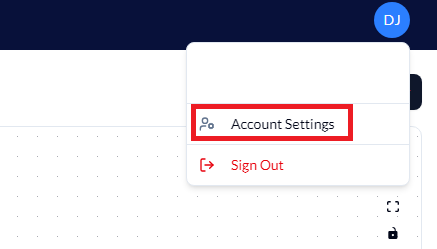
Then click on the API key input to display your API key.

If the API key is compromised, regenerate it by clicking the “Generate a new key” button.
Authenticating to the API
Section titled “Authenticating to the API”The authentication uses the API key in the Bearer header of all HTTP request methods.
Authorization: Bearer <API_Key>header. Note that the API key can be regenerated at any time using the UI and should be rotated periodically.
Common examples
Section titled “Common examples”List all servers
Section titled “List all servers”curl "https://<your-server>/api/v2/servers" \ -H "Authorization: Bearer <API_KEY>"List all infrastructures
Section titled “List all infrastructures”curl "https://<your-server>/api/v2/infrastructures" \ -H "Authorization: Bearer <API_KEY>"Get details for a specific server
Section titled “Get details for a specific server”curl "https://<your-server>/api/v2/servers/{serverId}" \ -H "Authorization: Bearer <API_KEY>"Create an infrastructure
Section titled “Create an infrastructure”curl -X POST "https://<your-server>/api/v2/infrastructures" \ -H "Content-Type: application/json" \ -H "Authorization: Bearer <API_KEY>" \ -d '{ "siteId": 1, "label": "my-infrastructure" }'Deploy an infrastructure
Section titled “Deploy an infrastructure”curl -X POST "https://<your-server>/api/v2/infrastructures/{infrastructureId}/actions/deploy" \ -H "Content-Type: application/json" \ -H "Authorization: Bearer <API_KEY>" \ -d '{ "allowDataLoss": false, "shutdownOptions": { "attemptSoftShutdown": true, "softShutdownTimeoutSeconds": 180 } }'List all network fabrics
Section titled “List all network fabrics”curl "https://<your-server>/api/v2/network-fabrics" \ -H "Authorization: Bearer <API_KEY>"Get current user details
Section titled “Get current user details”curl "https://<your-server>/api/v2/user" \ -H "Authorization: Bearer <API_KEY>"Pagination
Section titled “Pagination”List endpoints support pagination via page and limit query parameters:
curl "https://<your-server>/api/v2/servers?page=1&limit=50" \ -H "Authorization: Bearer <API_KEY>"Additional resources
Section titled “Additional resources”Consult the MetalSoft Postman REST Workspace for in-depth details on how to use the API.