

Adding a new endpoint
Endpoints allow network provisioning without touching the endpoint devices and are also useful in other “brownfield” situations where existing devices must be “imported” while in operation.
End-users use these endpoint records to represent the endpoints under their control and to define the desired network configuration.
Adding a new endpoint using the UI
Section titled “Adding a new endpoint using the UI”Navigate to the Endpoints section > Add Endpoint.
- Select the Site.
- Choose a name for the Endpoint.
- Choose a label for the Endpoint.
- Fill in the External ID. This must be unique within a site (for example, if a server, you can enter the serial number).
- Click on
New interfaceand fill out the Endpoint MAC address, select theNetwork devicefrom the dropdown and enter thenetwork device interface nameand click onSave. Repeat to add more interfaces. You can use a dummy (but correct) MAC if the MAC address is not important. - Click on
Add endpointonce complete.
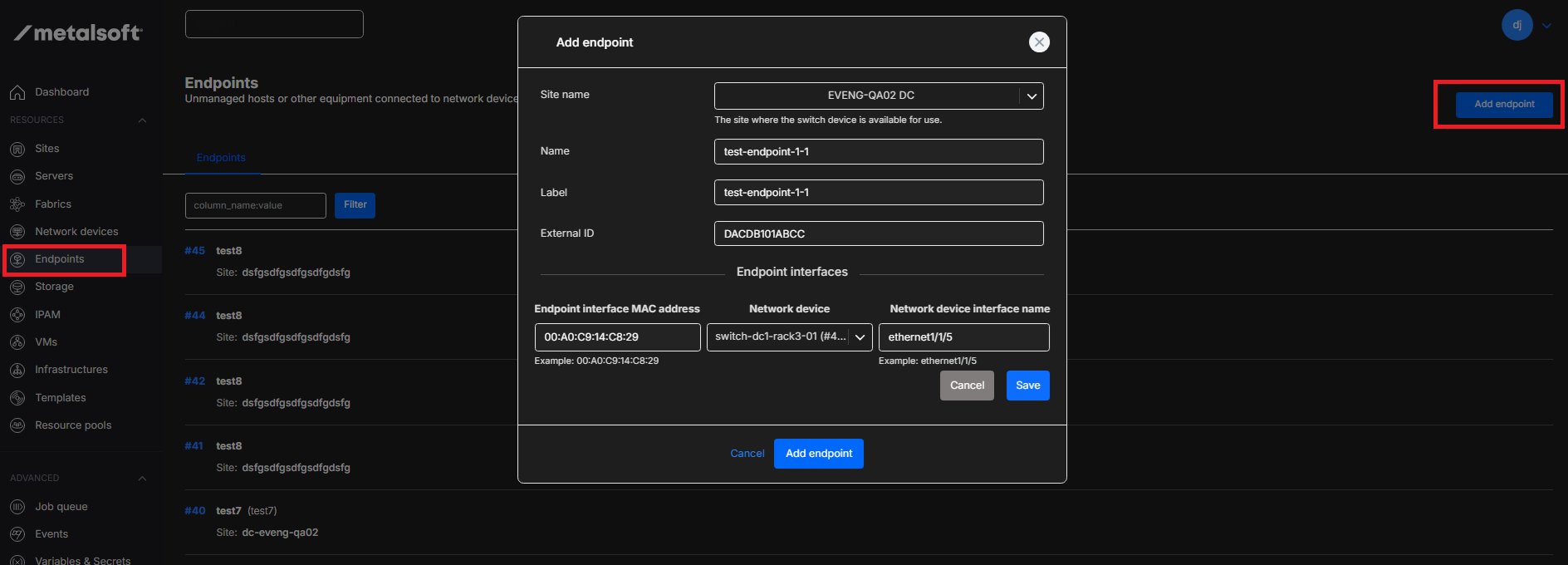
The endpoint is now in “available” mode. To use it in an infrastructure, use the regular instance array create form and select the Server Type you used when creating the endpoint. This will allow the user to specify which endpoint they want to use.
Adding a new endpoint via the CLI
Section titled “Adding a new endpoint via the CLI”Adding a new endpoint to an infrastructure using the UI
Section titled “Adding a new endpoint to an infrastructure using the UI”Open the Infrastructure Designer and click on Add Element and click on Endpoint.
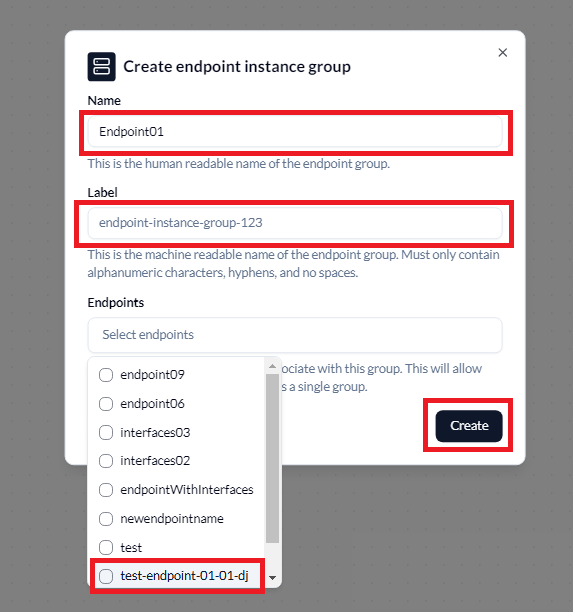
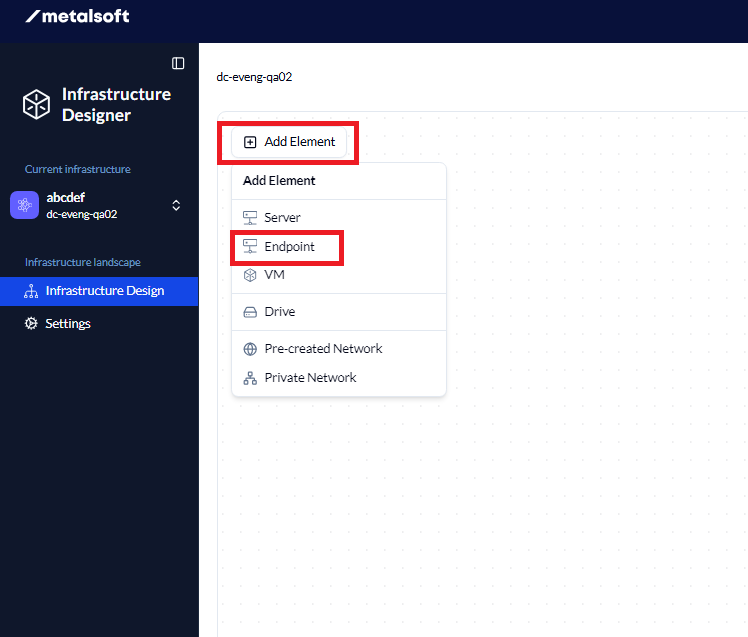 Fill in the Name and Label (Label needs to be unique) if required and click on
 Endpoints to show the endpoints.
Click on the required Endpoint and click on Create.
Add either a Pre-created Network or Private Network and drag the connection from the Endpoint to the network and fill in the network connection information and click Connect.
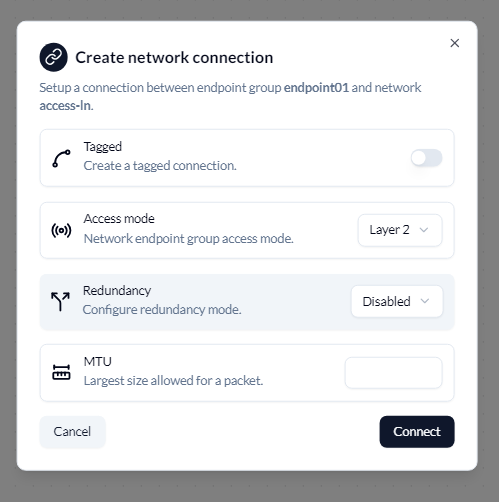
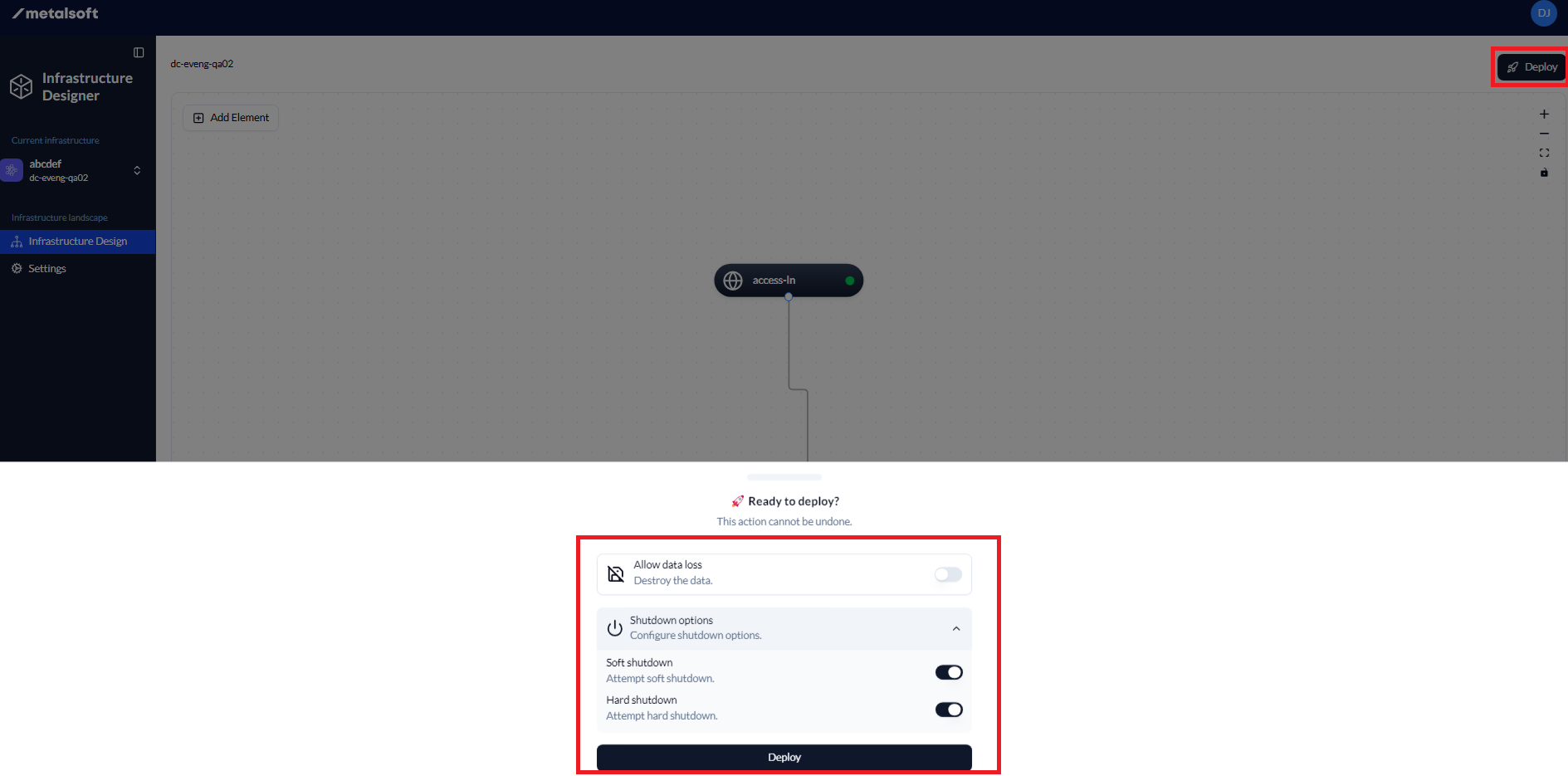
This will create the connection from the endpoint to the network. Click on Deploy, then select the options from the pop-up box at the bottom and click Deploy once complete.
To add Access Control Lists, follow these instructions.