

Managing VMs
MetalSoft creates VMs from VM Pools. When you create a VM, MetalSoft selects a VM pool that has the appropriate resources available. MetalSoft selects the host of the VM pool automatically.
Creating a VM array
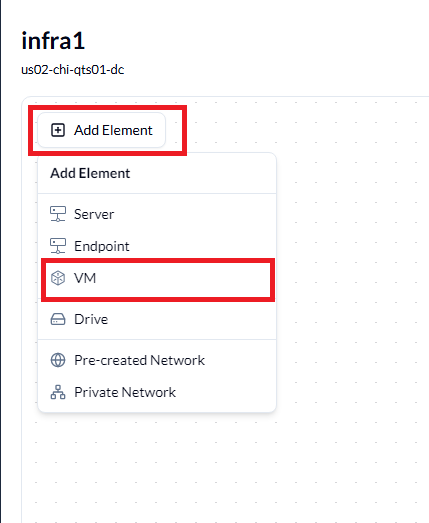
Section titled “Creating a VM array”Working with virtual machines is similar to working with bare metal. Click Add Element. Click VM.
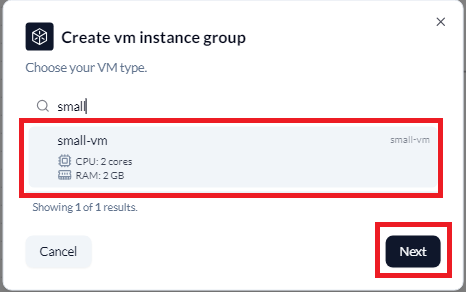
Select the required VM type and click Next.
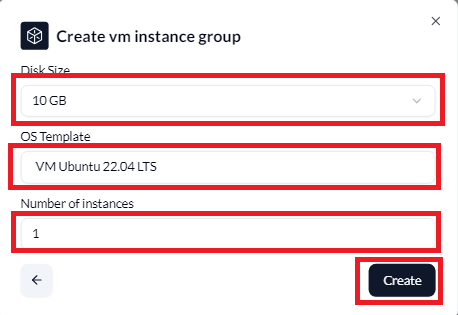
Select the Disk Size, the OS Template and Number of instances and click Create.
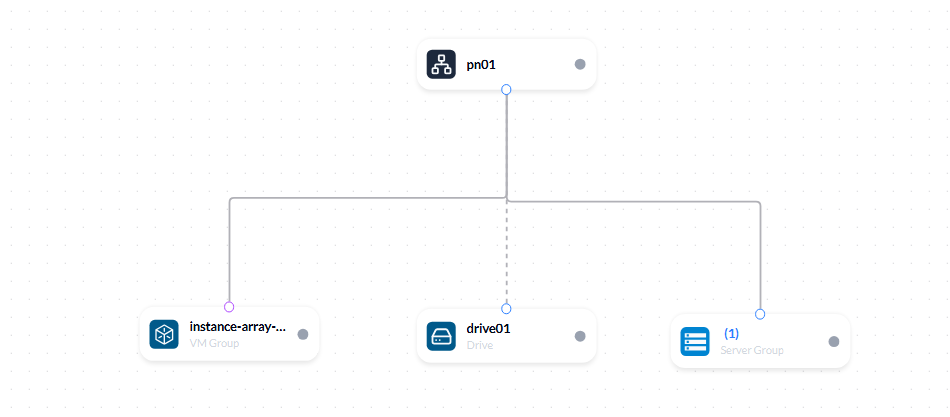
Drag the network connection to the network, select the required options and deploy.
Virtual networking
Section titled “Virtual networking”You can attach VMs to the same networks as bare metal networks. VMs use the same IP space and generally behave just like bare metal servers, with some distinctions:
- You cannot create network interfaces unattached to a network.
- On bare metal, MetalSoft applies network profiles to the physical ports connected to a network. On VMs, MetalSoft creates a virtual network interface for every overlay network (VLAN entry) in the associated network profile, and there is no concept of bonding.
Accessing the console of a VM
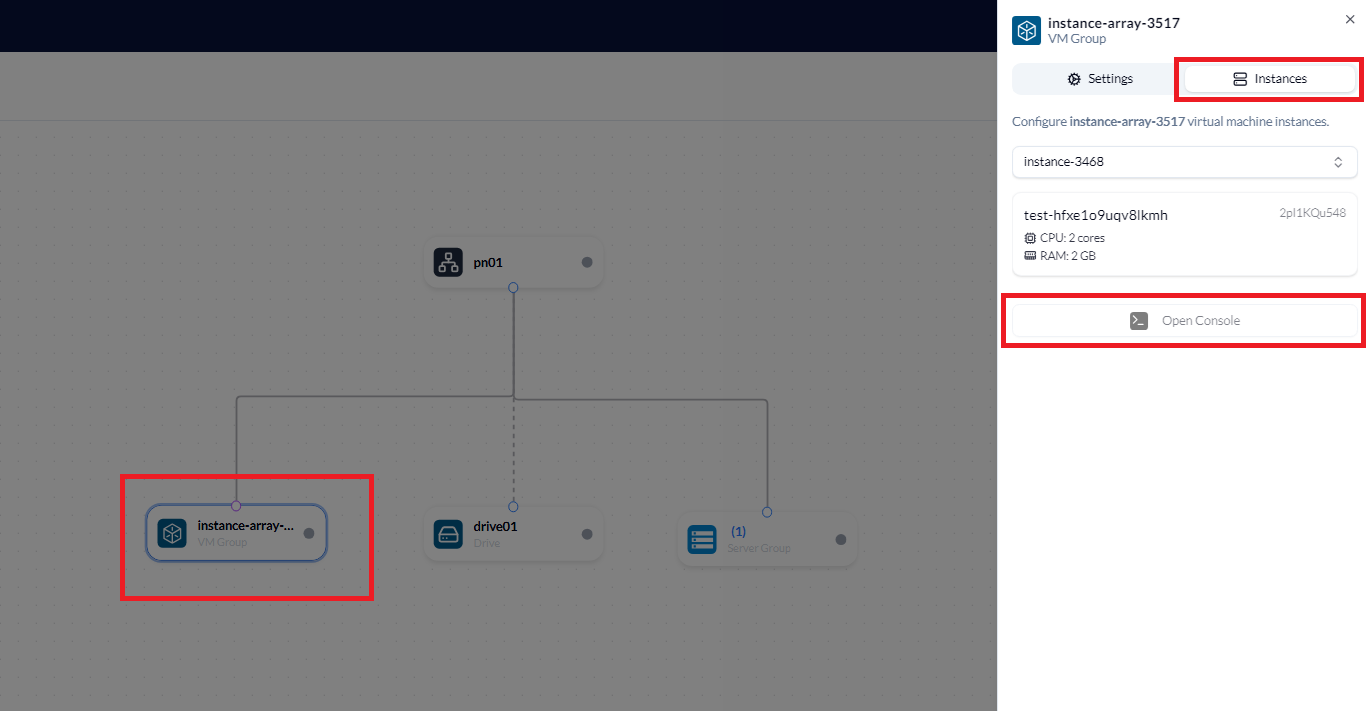
Section titled “Accessing the console of a VM”Click the VM, click Instances and click Open Console.
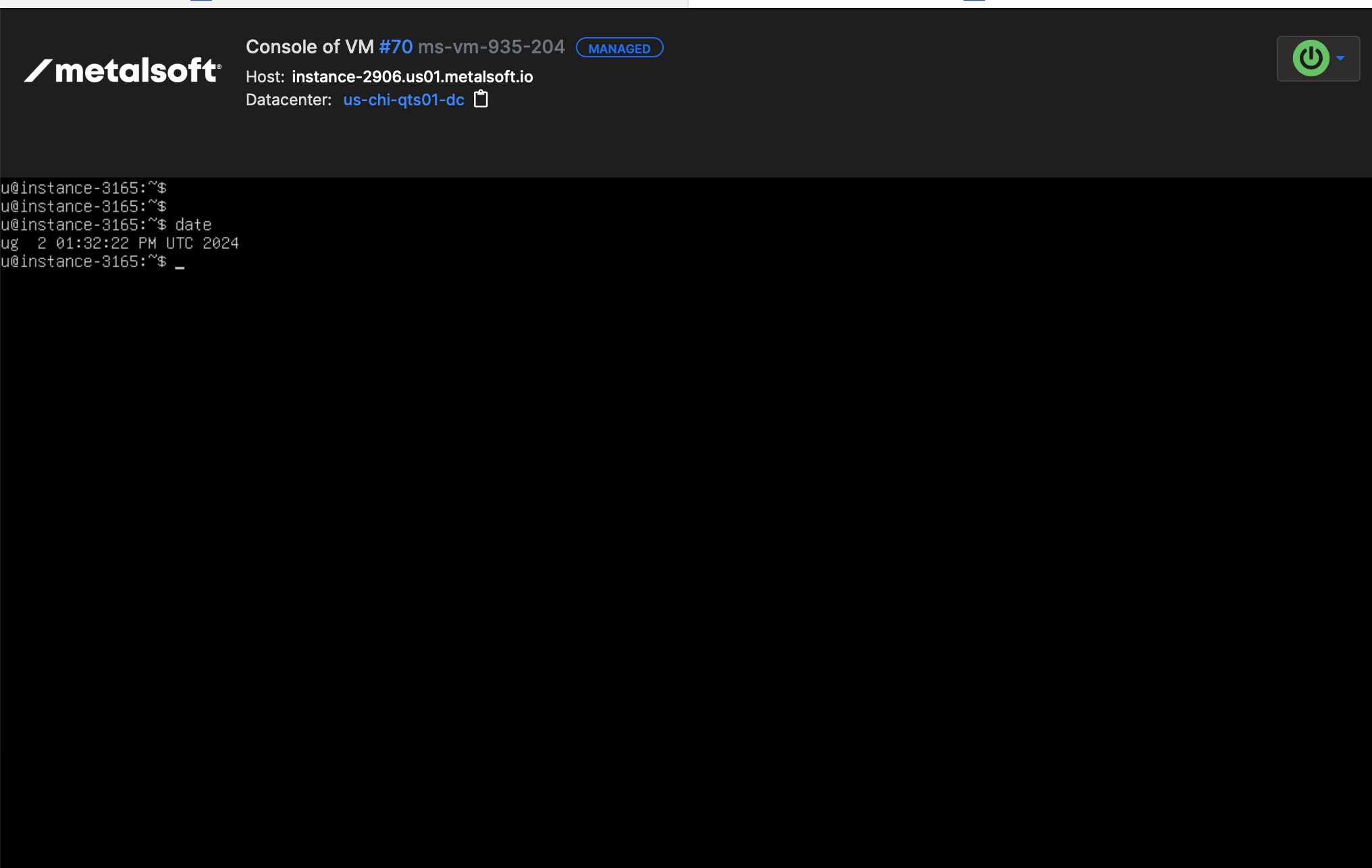
The console page appears just like with servers.
Managing VMs via the API
Section titled “Managing VMs via the API”Listing VM instance groups in an infrastructure
Section titled “Listing VM instance groups in an infrastructure”curl "https://<your-server>/api/v2/infrastructures/{infrastructureId}/vm-instance-groups" \ -H "Authorization: Bearer <API_KEY>"Creating a VM instance group
Section titled “Creating a VM instance group”curl -X POST "https://<your-server>/api/v2/infrastructures/{infrastructureId}/vm-instance-groups" \ -H "Content-Type: application/json" \ -H "Authorization: Bearer <API_KEY>" \ -d '{ "vmTypeId": 1, "instanceCount": 2, "label": "web-vms" }'Getting VM instance details
Section titled “Getting VM instance details”curl "https://<your-server>/api/v2/infrastructures/{infrastructureId}/vm-instances/{vmInstanceId}" \ -H "Authorization: Bearer <API_KEY>"Performing power operations on a VM instance
Section titled “Performing power operations on a VM instance”# Power oncurl -X POST "https://<your-server>/api/v2/infrastructures/{infrastructureId}/vm-instances/{vmInstanceId}/actions/power-on" \ -H "Authorization: Bearer <API_KEY>"
# Power offcurl -X POST "https://<your-server>/api/v2/infrastructures/{infrastructureId}/vm-instances/{vmInstanceId}/actions/power-off" \ -H "Authorization: Bearer <API_KEY>"
# Rebootcurl -X POST "https://<your-server>/api/v2/infrastructures/{infrastructureId}/vm-instances/{vmInstanceId}/actions/reboot" \ -H "Authorization: Bearer <API_KEY>"Creating a network connection for a VM instance group
Section titled “Creating a network connection for a VM instance group”curl -X POST "https://<your-server>/api/v2/infrastructures/{infrastructureId}/vm-instance-groups/{vmInstanceGroupId}/config/networking/connections" \ -H "Content-Type: application/json" \ -H "Authorization: Bearer <API_KEY>" \ -d '{ "logicalNetworkId": 5, "tagged": true }'