

Managing firmware baselines
Firmware baselines have one or more Firmware Catalogs and attach to various elements.
- Server types - MetalSoft applies it every time someone registers a server with the specific server type.
- OS templates - MetalSoft applies it every time someone deploys a server with the specific OS template, if not already deployed.
- Site - MetalSoft applies it every time someone deploys a server in the specific site.
Creating a firmware baseline
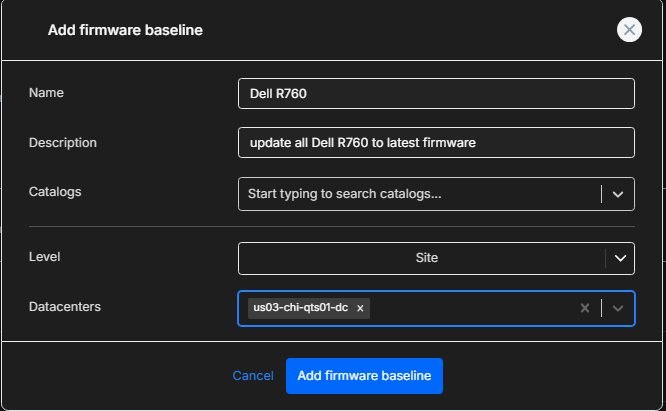
Section titled “Creating a firmware baseline”To create a firmware baseline, navigate to Firmware > Baselines > Add firmware Baseline.
Fill in the following form:
| param | details |
|---|---|
| Name | Name of the baseline |
| Description | The Description of the baseline |
| Catalogs | The catalogs to be attached to this baseline |
| Level | Where to attach the baseline to (one of: Site, Server type, OS template) |
| Site/Server type/OS Template | Object to attach the baseline to |
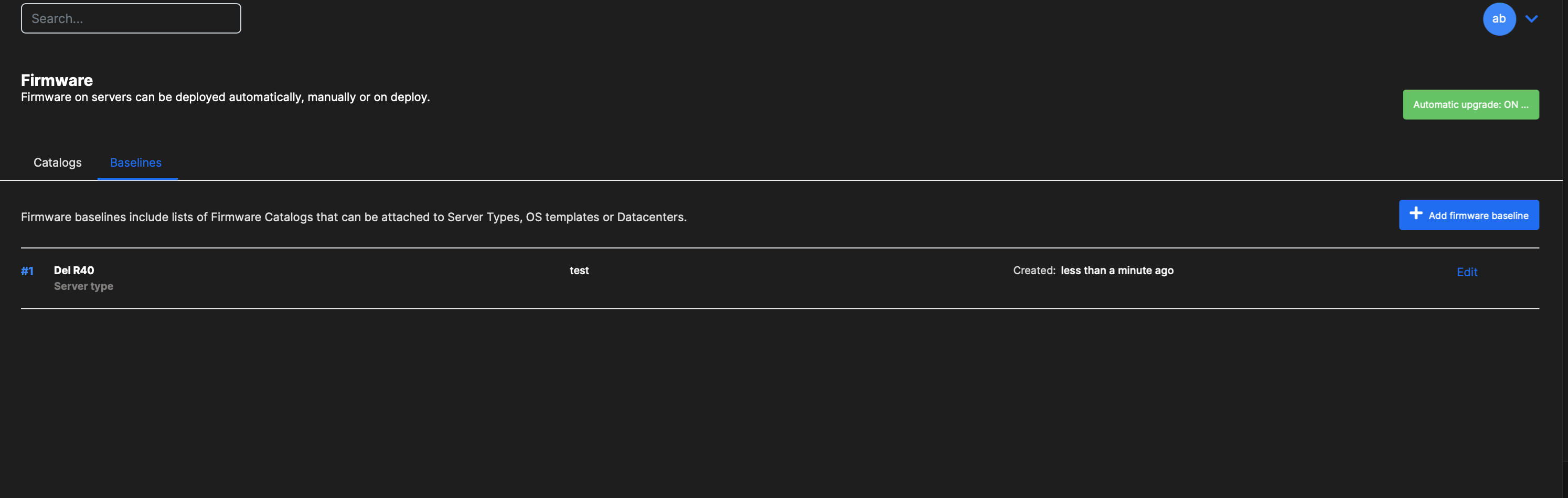
Editing a baseline
Section titled “Editing a baseline”Click on Edit to edit a baseline.
Removing a baseline
Section titled “Removing a baseline”To disable a baseline, go to the respective object and, either on the Overview or Advanced tab, change the Baseline property and set it to None.
Managing baselines via the API
Section titled “Managing baselines via the API”Listing firmware baselines
Section titled “Listing firmware baselines”curl "https://<your-server>/api/v2/firmware/baseline" \ -H "Authorization: Bearer <API_KEY>"Getting a specific baseline
Section titled “Getting a specific baseline”curl "https://<your-server>/api/v2/firmware/baseline/{firmwareBaselineId}" \ -H "Authorization: Bearer <API_KEY>"Creating a firmware baseline
Section titled “Creating a firmware baseline”curl -X POST "https://<your-server>/api/v2/firmware/baseline" \ -H "Content-Type: application/json" \ -H "Authorization: Bearer <API_KEY>" \ -d '{ "name": "ESXi 7 Baseline", "description": "Firmware baseline for VMware ESXi 7 hosts", "catalogIds": [1, 2], "level": "server_type", "serverTypeId": 5 }'Deleting a firmware baseline
Section titled “Deleting a firmware baseline”curl -X DELETE "https://<your-server>/api/v2/firmware/baseline/{firmwareBaselineId}" \ -H "Authorization: Bearer <API_KEY>"