Managing VM pools
A VM Pool is a group of bare metal servers that provide resources to create VMs. These are abstract concepts and the underlying VMI technology can be anything although at the moment the only supported driver is incus.
Performance The hypervisor used is linux-based. It can be any operating system that Incus supports, including RHEL and Ubuntu. Incus uses Qemu that in turn uses KVM (type 1 hypervisor) and provides performance similar to ESXi.
Enterprise features The solution supports Live Migration, Intelligent VM placement, pass-through GPUs and other devices, snapshots and more.
Networking
As opposed to VMWare and the standard Incus deployment, in MetalSoft there is no software defined overlay network (such as OVN). Instead, MetalSoft connects VMs directly to the overlay network implemented in the switches (typically a highly scalable VXLAN-based EVPN network). This has the advantage of line rate performance, scalability and the fact that it works seamlessly with bare metal servers on the same networks without the need for any “gateway”.
On each hypervisor host, MetalSoft creates a bridge network for each of the VM’s connected overlay networks (VLANs in a network profile), which in turn connects to the vlan interface for the respective VLAN.

This allows the VMs on the same host to talk to each other without moving the traffic out of the server and allows VMs to talk to servers and other VMs on the same L2 network, use the same IP space, use the same gateways etc.
MetalSoft migrates this network configuration with the VM. When a VM is instantiated or moved to another host, MetalSoft replicates the network configuration on the new host.
Storage The system can operate with just local storage and will support live migration as well, but it runs the risk of data loss if the node is not recuperable. To mitigate this, you can use any storage system that MetalSoft supports, or an external system such as Ceph, with Incus.
Registering a VM pool
Section titled “Registering a VM pool”To create a MetalSoft VM Pool first deploy an Incus cluster on one or more servers or use the MetalSoft extension to deploy the cluster.
Go to VMs section and click the Add VM Pool button. Fill in the form with the appropriate details.

VM types
Section titled “VM types”VM types act as server types and provide specific resource constraints such as number of cores and GB of RAM. MetalSoft does not allow users to create an arbitrary VM with arbitrary resources, to avoid increasing fragmentation.
To create a Virtual Machine Type go to VM Pools > Virtual Machine Types tab and fill in the form.
VM types can also specify GPU requirements for GPU passthrough. When a VM type includes GPU information, the scheduler will only place VMs on hosts that have the required GPU hardware available. For details on configuring GPU passthrough, see GPU passthrough for virtual machines.
VM images
Section titled “VM images”The VM pool cluster pulls images from a repository, which is by default configured to be https://images.linuxcontainers.org, via a source asset. The templates must exist in MetalSoft prior to being usable in the system. The process of registering new templates is similar to that of bare metal templates.
Creating a custom repository for images
Section titled “Creating a custom repository for images”To configure a different repository of images, in the squashfs or qcow2 image formats use a simplestreams repository. You can also mirror the official one into your repository to allow a periodic scan to run.
{ "server": "https://images.linuxcontainers.org", "alias": "oracle/9/cloud", "protocol": "simplestreams", "mode": "pull"}Listing the hosts of a VM pool
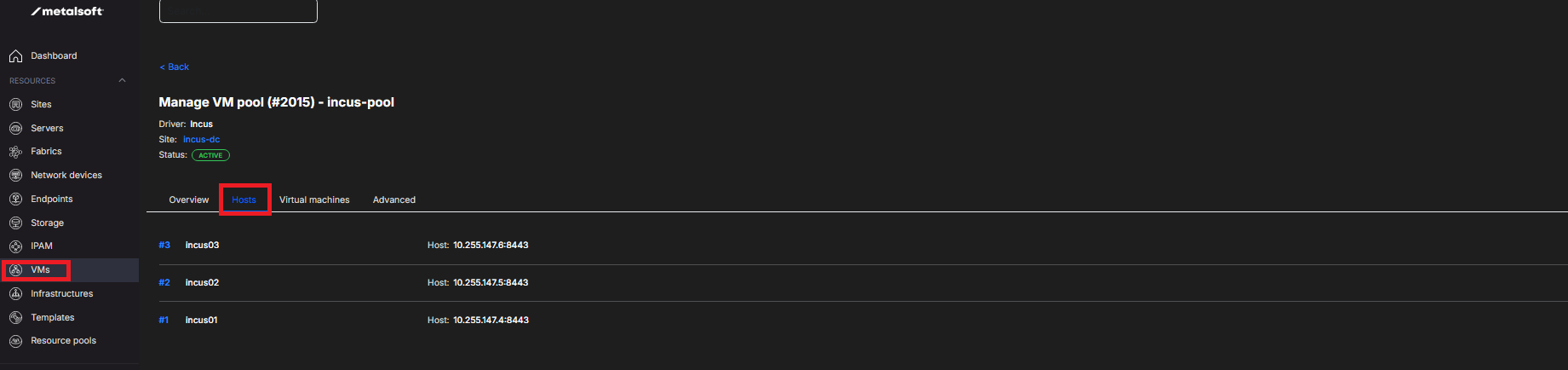
Section titled “Listing the hosts of a VM pool”Navigate to VMs > vm pool name > Hosts
Listing VMs
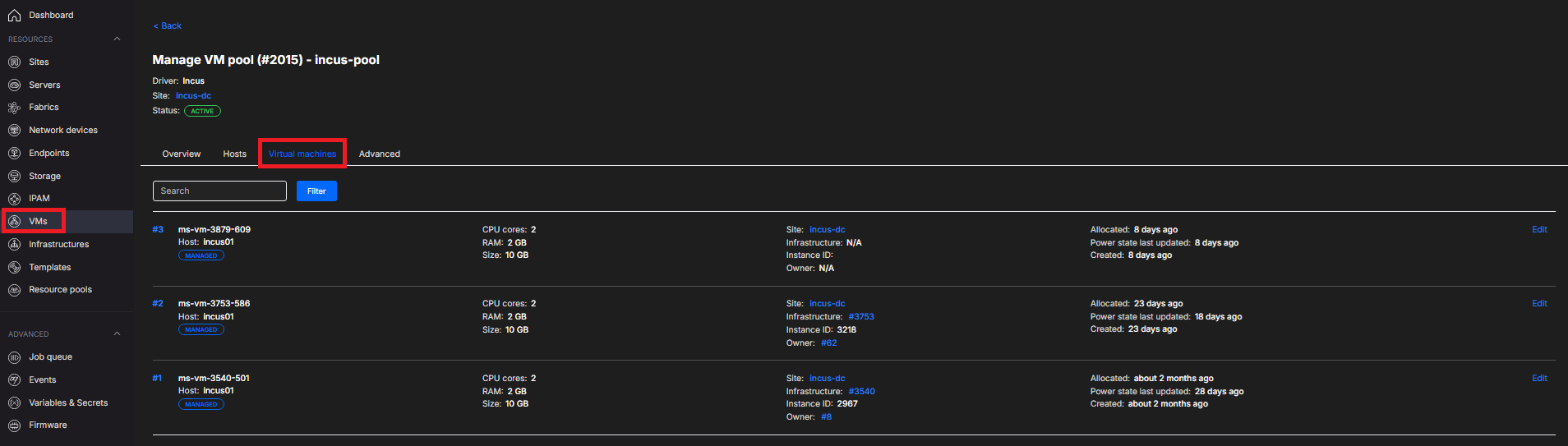
Section titled “Listing VMs”Navigate to VMs > vm pool name > Virtual Machines
Rebooting a VM or accessing the console
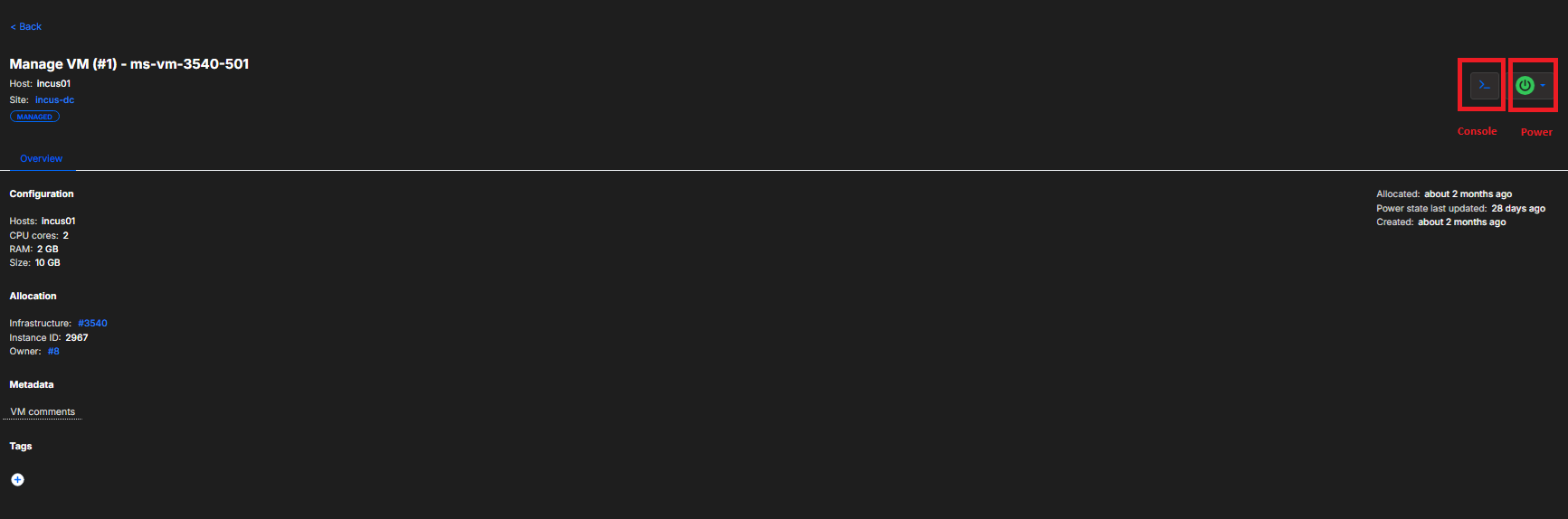
Section titled “Rebooting a VM or accessing the console”Typically MetalSoft manages VMs via the infrastructure designer, but it can also manage them via the admin by clicking a VM.