

Adding a new site
Sites are the root object for almost all elements that MetalSoft operates with:
- Servers
- Fabrics/Switches
- Storages
- Subnets
Creating a site record using the UI
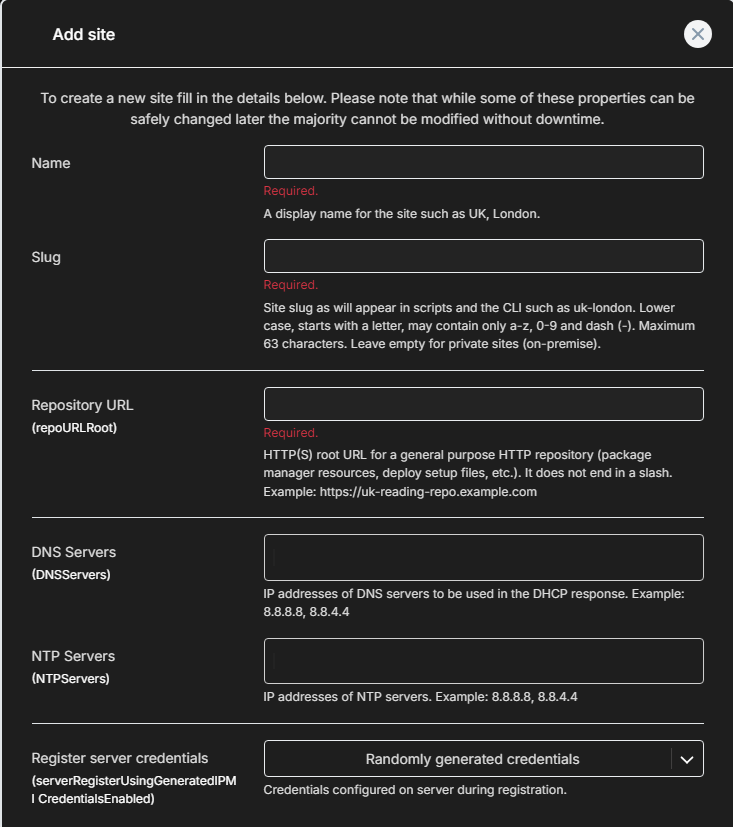
Section titled “Creating a site record using the UI”To create a site using the UI go to Sites > Create new site button:
Creating a site record using the CLI
Section titled “Creating a site record using the CLI”To create a site using the CLI issue this command:
metalcloud-cli site create testsiteUpdating a site configuration using the CLI
Section titled “Updating a site configuration using the CLI”Retrieve the current configuration and save it to a file current-config.yml
metalcloud-cli site get -id us02-chi-qts01-dc --format yaml > current-config.ymlModify the configuration then re-apply it:
metalcloud-cli site update -id us02-chi-qts01-dc --format yaml --config current-config.yml