

App Extensions
Available since 6.4
Extensions are a mechanism to extend the functionality of MetalSoft beyond what is provided out-of-the-box.
Currently there is only a single type of extension, the ‘app’ extension that adds a custom button in the Infrastructure Designer.
Creation Lifecycle:
- The user clicks the button and a custom form is shown with inputs defined in the yaml file in the
inputsfield:
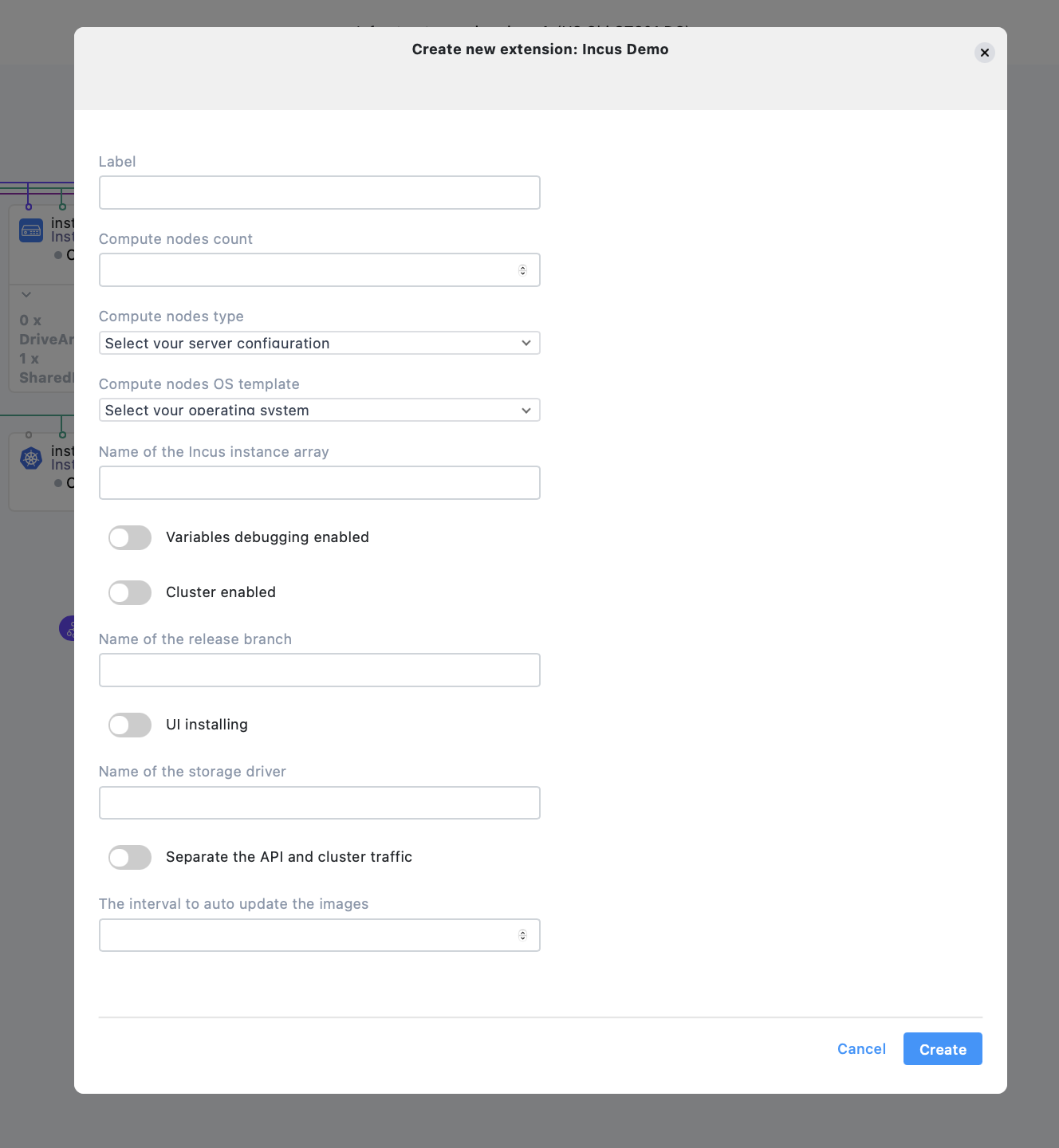
- The instance groups are created according to the yaml specification
- Upon Deploy the resources are deployed and the
oncreateentrypoint is executed
Update lifecycle
- The user clicks the infrastructure elements and a form is opened allowing the user to change any of the input params.
- Upon deploy additional resources are deployed as needed and the
oneditentrypoint is executed
Delete lifecycle
- The user clicks the delete button in the infrastrucure designer form associated with the button
- Upon deploy the
ondeleteentrypoint is executed and then all resources are released
id: 1name: Incus Demolabel: incus-demo-1description: Extension descriptionstatus: draftdefinition: kind: ExtensionDefinition schemaVersion: "1.1" name: Incus Platform label: incus extensionType: incus-app vendor: MetalSoft extensionVersion: "1.0" description: Enables the automatic deployment of private and shared incus clusters. Latest supported version is 6.4. icon: none dependencies: controllerVersion: 6.4+ osTemplates: - ubuntu-24-04 inputs: - label: compute_nodes name: Compute nodes count inputType: ExtensionInputInteger options: minValue: 1 maxValue: 100 deniedValues: - 2 - 4 - label: compute_nodes_type name: Compute nodes type inputType: ExtensionInputServerType options: {} - label: instance_group_name name: Name of the Incus instance group inputType: ExtensionInputString options: {} - label: compute_nodes_os_template name: Compute nodes OS template inputType: ExtensionInputOsTemplate options: osFamily: Linux - label: vars_debugging_enabled name: Variables debugging enabled inputType: ExtensionInputBoolean options: {} - label: cluster_enabled name: Cluster enabled inputType: ExtensionInputBoolean options: {} - label: branch_release name: Name of the release branch inputType: ExtensionInputString options: {} - label: ui_installing name: UI installing inputType: ExtensionInputBoolean options: {} - label: storage_driver name: Name of the storage driver inputType: ExtensionInputString options: {} - label: separate_api_and_cluster_traffic name: Separate the API and cluster traffic inputType: ExtensionInputBoolean options: {} - label: images_auto_update_interval name: The interval to auto update the images inputType: ExtensionInputInteger options: {} outputs: [] infrastructure: instanceGroups: - label: '#/input/instance_group_name' instanceCount: '#/input/compute_nodes' serverType: '#/input/compute_nodes_type' osTemplate: '#/input/compute_nodes_os_template' customVariables: - name: vars_debugging_enabled value: '#/input/vars_debugging_enabled' - name: cluster_enabled value: '#/input/cluster_enabled' - name: branch_release value: '#/input/branch_release' - name: ui_installing value: '#/input/ui_installing' - name: storage_driver value: '#/input/storage_driver' - name: separate_api_and_cluster_traffic value: '#/input/separate_api_and_cluster_traffic' - name: images_auto_update_interval value: '#/input/images_auto_update_interval' assets: - label: my_ansible_bundle_1 name: The Incus Ansible bundle assetType: AnsibleBundle url: https://repo.metalsoft.io/.extensions_ms/incus-v1alpha1.zip onCreate: postDeploy: - label: createStep taskType: ExtensionTaskAnsible options: asset: my_ansible_bundle_1 playbook: deploy.yaml onEdit: postDeploy: - label: scaleStep taskType: ExtensionTaskAnsible options: asset: my_ansible_bundle_1 playbook: scale.yaml - label: updateStep taskType: ExtensionTaskAnsible options: asset: my_ansible_bundle_1 playbook: upgrade.yamlTo manage the extensions a series of CLI commands are provided:
extension list - Lists all extensions.extension get - Get extension.extension create - Create extension.extension edit - Update extension.extension archive - Archive extension.extension publish - Publish extension.It is not possible to delete an extension, only to archive it. Publishing an extension will allow users other than the owner to deploy it.
Additionally a series of commands are provided to manipulate extension instances which are instances of the extension, deployed by users.