

Creating endpoints
MetalSoft uses the Endpoint concept to represent one or more ports in one or more switches. They usually map one-to-one to a server but could also be other device types such as Firewalls or Printers etc.
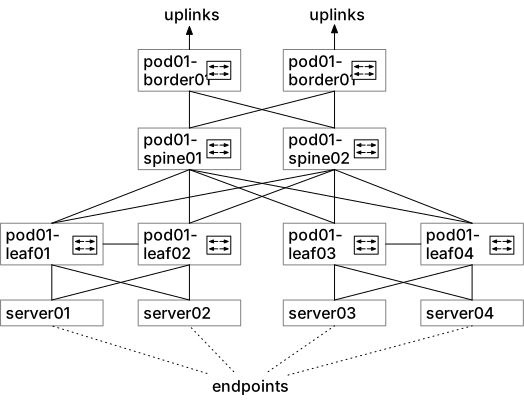
Create four Endpoints
- Go to Endpoints → Add Endpoint
- Select the site
- Give it a name such as Server01
- Give it a label such as server01
- If your organizations uses an identifier for the equipment you may enter that in the External ID field
- Click New Interface on the right
- Provide the MAC address of the endpoint, if known, if not just enter
00:00:00:00:00:00 - Select the switch to which this physical link connects to. In the case of Server01 in our diagram it is
pod01-leaf01 - Select the port to which the physical link is connected to. In the case of the first link of Server01 in our diagram it is
Eth1/1 - Repeat the process and add another connection to
pod02-leaf02on portEth1/1
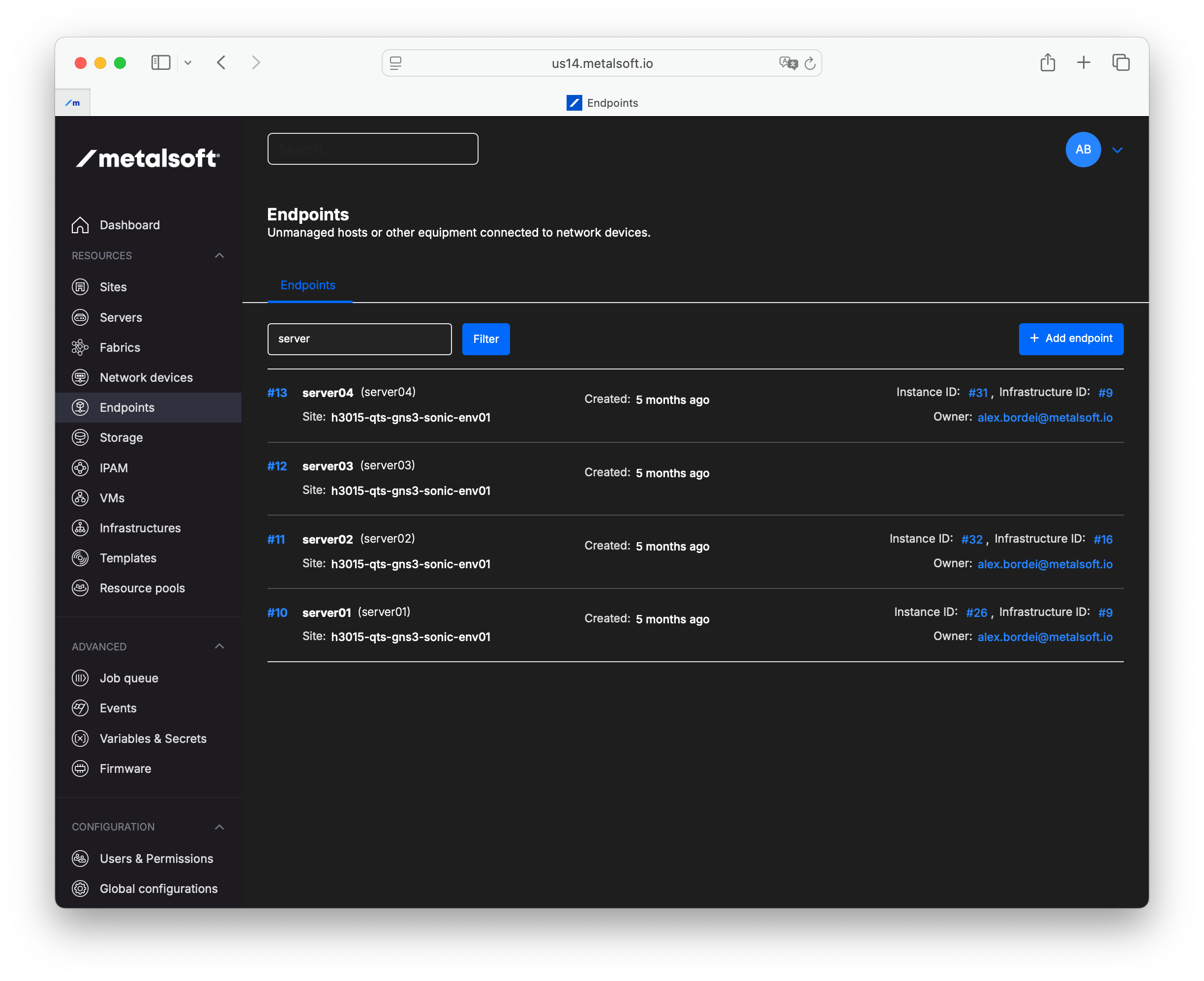
- Repeat this process 4 times and create endpoints for all 4 servers
Managing endpoints via the API
Section titled “Managing endpoints via the API”Creating an endpoint
Section titled “Creating an endpoint”curl -X POST "https://<your-server>/api/v2/endpoints" \ -H "Content-Type: application/json" \ -H "Authorization: Bearer <API_KEY>" \ -d '{ "siteId": 1, "name": "Server01", "label": "server01", "externalId": "00:11:22:33:44:55", "endpointInterfaces": [ {"networkDeviceInterfaceId": 100, "macAddress": "00:11:22:33:44:55"}, {"networkDeviceInterfaceId": 200, "macAddress": "00:11:22:33:44:56"} ] }'Bulk-importing endpoints
Section titled “Bulk-importing endpoints”curl -X POST "https://<your-server>/api/v2/endpoints/actions/bulk-create" \ -H "Content-Type: application/json" \ -H "Authorization: Bearer <API_KEY>" \ -d '{ "endpoints": [ { "siteId": 1, "name": "Server01", "label": "server01", "endpointInterfaces": [ {"networkDeviceInterfaceId": 100} ] }, { "siteId": 1, "name": "Server02", "label": "server02", "endpointInterfaces": [ {"networkDeviceInterfaceId": 101} ] } ] }'Listing endpoints
Section titled “Listing endpoints”curl "https://<your-server>/api/v2/endpoints" \ -H "Authorization: Bearer <API_KEY>"Adding an interface to an existing endpoint
Section titled “Adding an interface to an existing endpoint”curl -X POST "https://<your-server>/api/v2/endpoints/{endpointId}/interfaces" \ -H "Content-Type: application/json" \ -H "Authorization: Bearer <API_KEY>" \ -d '{"networkDeviceInterfaceId": 300, "macAddress": "00:11:22:33:44:57"}'Deleting an endpoint
Section titled “Deleting an endpoint”curl -X DELETE "https://<your-server>/api/v2/endpoints/{endpointId}" \ -H "Authorization: Bearer <API_KEY>"