

Managing Firmware baselines
Firmware baselines have one or more Firmware Catalogs and are attached to various elements.
- Server types - Will be applied every time a server with the specific server type is registered
- OS templates - Will be applied every time a server is deployed with the specific OS template if not already deployed.
- Site - Will be applied every time a server in a specific site is deployed.
Creating a firmware baseline
Section titled “Creating a firmware baseline”To create a firmware baseline navigate to Firmware> Baselines > Add firmware Baseline
Fill in the following form:
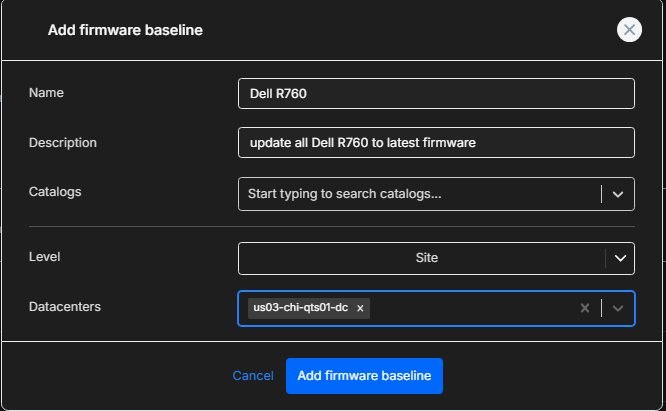
| param | details |
|---|---|
| Name | Name of the baseline |
| Description | The Description of the baseline |
| Catalogs | The catalogs to be attached to this baseline |
| Level | Where to attach the baseline to (one of: Site, Server type, OS template) |
| Site/Server type/OS Template | Object to attach the baseline to |
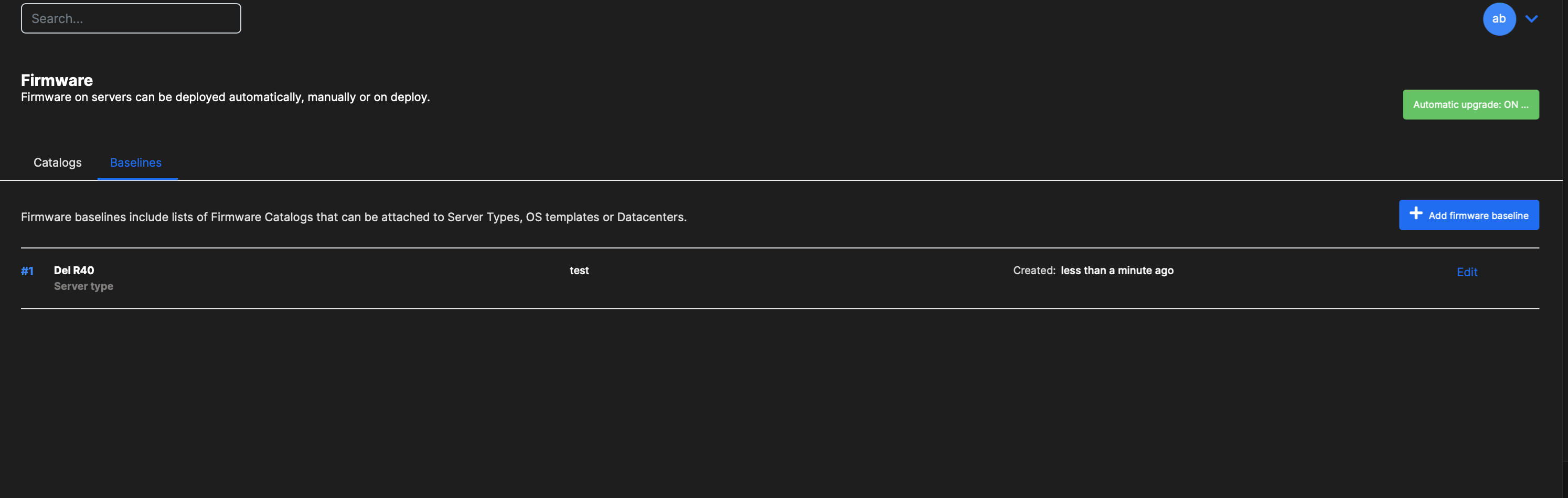
Editing a baseline
Section titled “Editing a baseline”Click on Edit to edit a baseline.
Removing a baseline
Section titled “Removing a baseline”To disable a baseline go to the respective object and either on the Overview or Advanced tab change the Baseline property and set to None.
Managing baselines via the API
Section titled “Managing baselines via the API”Listing firmware baselines
Section titled “Listing firmware baselines”curl "https://<your-server>/api/v2/firmware/baseline" \ -H "Authorization: Bearer <API_KEY>"Getting a specific baseline
Section titled “Getting a specific baseline”curl "https://<your-server>/api/v2/firmware/baseline/{firmwareBaselineId}" \ -H "Authorization: Bearer <API_KEY>"Creating a firmware baseline
Section titled “Creating a firmware baseline”curl -X POST "https://<your-server>/api/v2/firmware/baseline" \ -H "Content-Type: application/json" \ -H "Authorization: Bearer <API_KEY>" \ -d '{ "name": "ESXi 7 Baseline", "description": "Firmware baseline for VMware ESXi 7 hosts", "catalogIds": [1, 2], "level": "server_type", "serverTypeId": 5 }'Deleting a firmware baseline
Section titled “Deleting a firmware baseline”curl -X DELETE "https://<your-server>/api/v2/firmware/baseline/{firmwareBaselineId}" \ -H "Authorization: Bearer <API_KEY>"