

Managing infrastructures
Instance Arrays are collections of identical servers used as a single entity.
Creating an infrastructure using the UI
Section titled “Creating an infrastructure using the UI”-
In the infrastructure designer, click on your infrastructure on the left and click
Create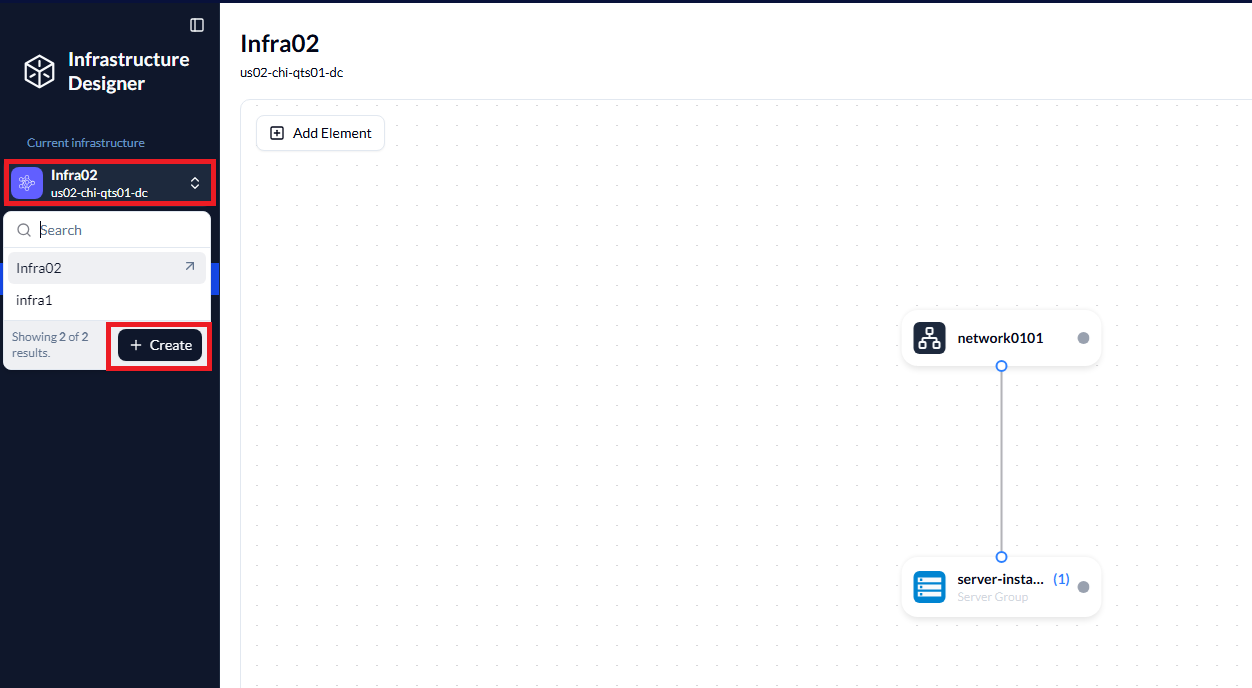
-
Add the name, label, and select your site. Optionally, add a description and click
Create Infrastructure.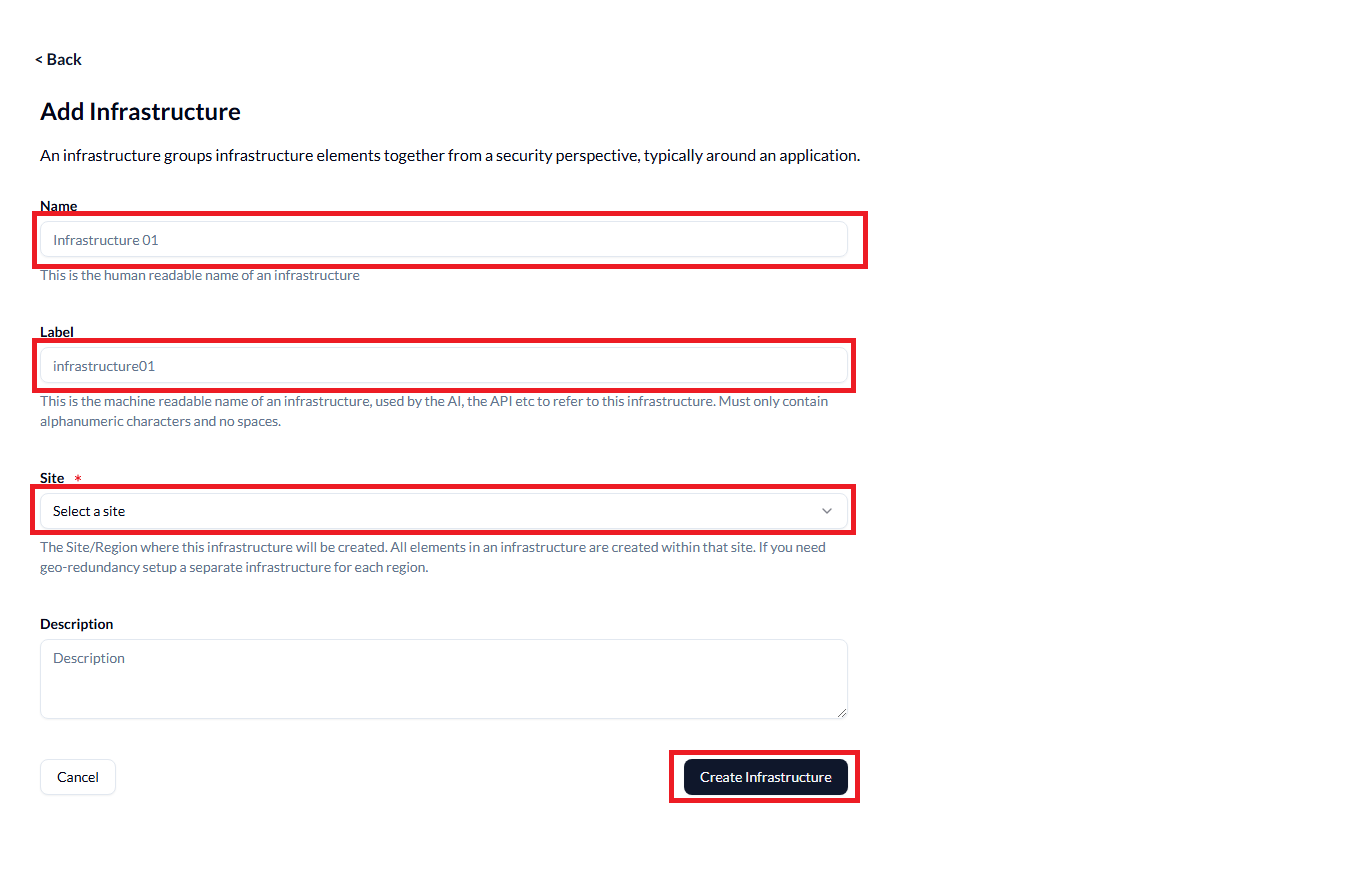
Changing an infrastructure’s properties using the UI
Section titled “Changing an infrastructure’s properties using the UI”- Access the infrastructure’s properties using the
Settingstab:
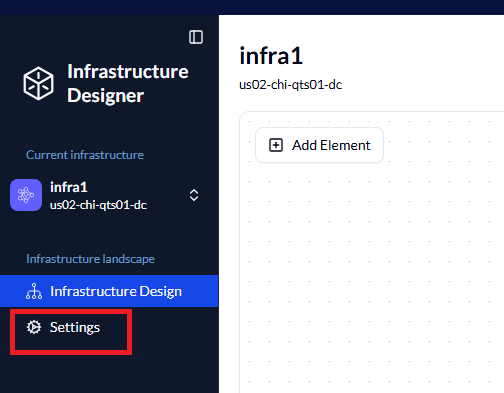
From here, you can change the name and label.
This affects all long form DNS records, such as instance array names in the form: instance-58417.instance-array-37139.vanilla.my-infrastructure.8186.metalsoft.io
Listing infrastructures using the CLI
Section titled “Listing infrastructures using the CLI”Check if your infrastructure has been created:
./metalcloud-cli infrastructure list┌────┬─────────┬──────────────┬─────────┬───────┬──────┬─────────────────────┬─────────────────────┬───────────────┬───────────┐│ # │ LABEL │ CONFIG LABEL │ STATUS │ OWNER │ SITE │ CREATED │ UPDATED │ DEPLOY STATUS │ DEPLOY ID │├────┼─────────┼──────────────┼─────────┼───────┼──────┼─────────────────────┼─────────────────────┼───────────────┼───────────┤│ 22 │ infra1 │ infra1 │ active │ 11 │ 1 │ 11 Jun 25 08:42 BST │ 15 Jul 25 08:21 BST │ finished │ ││ 35 │ infra02 │ infra02 │ ordered │ 11 │ 1 │ 15 Jul 25 08:48 BST │ 15 Jul 25 08:48 BST │ not_started │ ││ 36 │ bob01 │ bob01 │ ordered │ 11 │ 1 │ 15 Jul 25 10:57 BST │ 15 Jul 25 10:57 BST │ not_started │ │└────┴─────────┴──────────────┴─────────┴───────┴──────┴─────────────────────┴─────────────────────┴───────────────┴───────────┘Creating an infrastructure using the CLI
Section titled “Creating an infrastructure using the CLI”This tutorial uses the CLI. Visit using the CLI for more details.
Required fields are Site and Label. You can find the Site ID using
metalcloud-cli site list┌───┬───────────────────┬─────────────┬─────────┬────────┬─────────────┐│ # │ LABEL │ NAME │ ADDRESS │ HIDDEN │ MAINTENANCE │├───┼───────────────────┼─────────────┼─────────┼────────┼─────────────┤│ 1 │ us02-chi-qts01-dc │ US02 QTS DC │ │ false │ false │└───┴───────────────────┴─────────────┴─────────┴────────┴─────────────┘To create an infrastructure, invoke the following
metalcloud-cli infrastructure create 1 testinfra1Deleting an infrastructure using the CLI
Section titled “Deleting an infrastructure using the CLI”To delete an infrastructure, use the ID of the infrastructure, which you can retrieve from infrastructure list. This example deletes Infrastructure ID 36.
$ metalcloud-cli infrastructure delete 36Where to go from here: