

Delegating access to an infrastructure
This article details how primary users (billable account owners) can grant other users administrative privileges over their infrastructures or revoke them.
You can do this on an infrastructure-by-infrastructure basis or as a global action, delegating a user with administrative access over all already existing infrastructures, as well as all infrastructures that will be created in the future.
A delegated user or a user with administrative rights over an infrastructure can deploy, create, edit, and delete operations for infrastructure elements and can access all resources as their own. All on demand use is billed to the user who owns the infrastructure, not to the invested users.
The granting of administrative privileges is a one-way process. Users who grant other users administrative rights will not receive any rights on those users’ infrastructures, for security reasons.
Once a user becomes a delegate or gains privileges on a single infrastructure, MetalSoft adds that user’s public SSH keys to all newly provisioned drives. Existing active drives are not affected, and users must manually add those keys if they want to use them.
You can revoke privileges from the same interface pages with a single click. Any SSH keys copied to drives during provisioning while those users had administrative privileges are not automatically removed; manually remove them from all active drives for security reasons.
Grant a user administrative rights over all your infrastructures
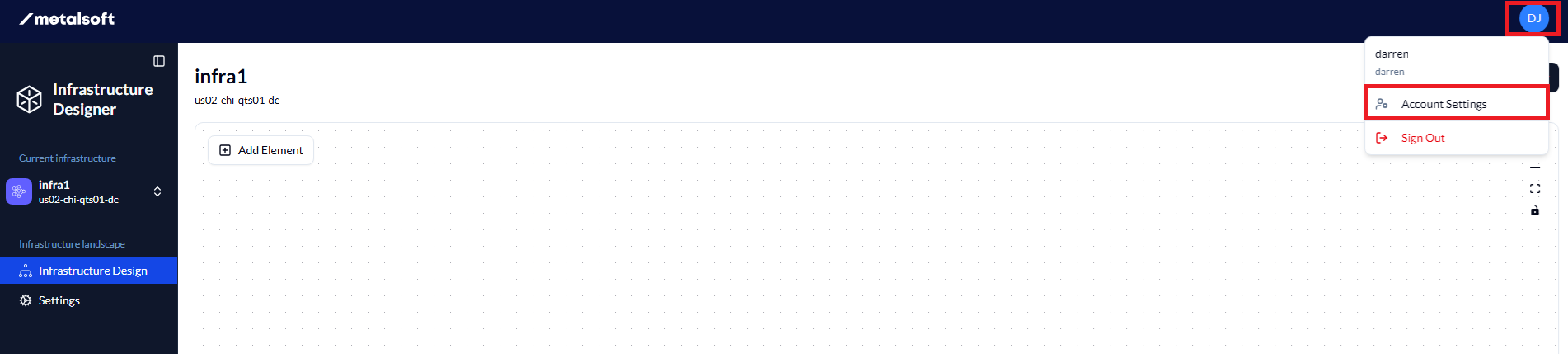
- From the infrastructure designer, click on your account name in the top right, then select Account Settings.
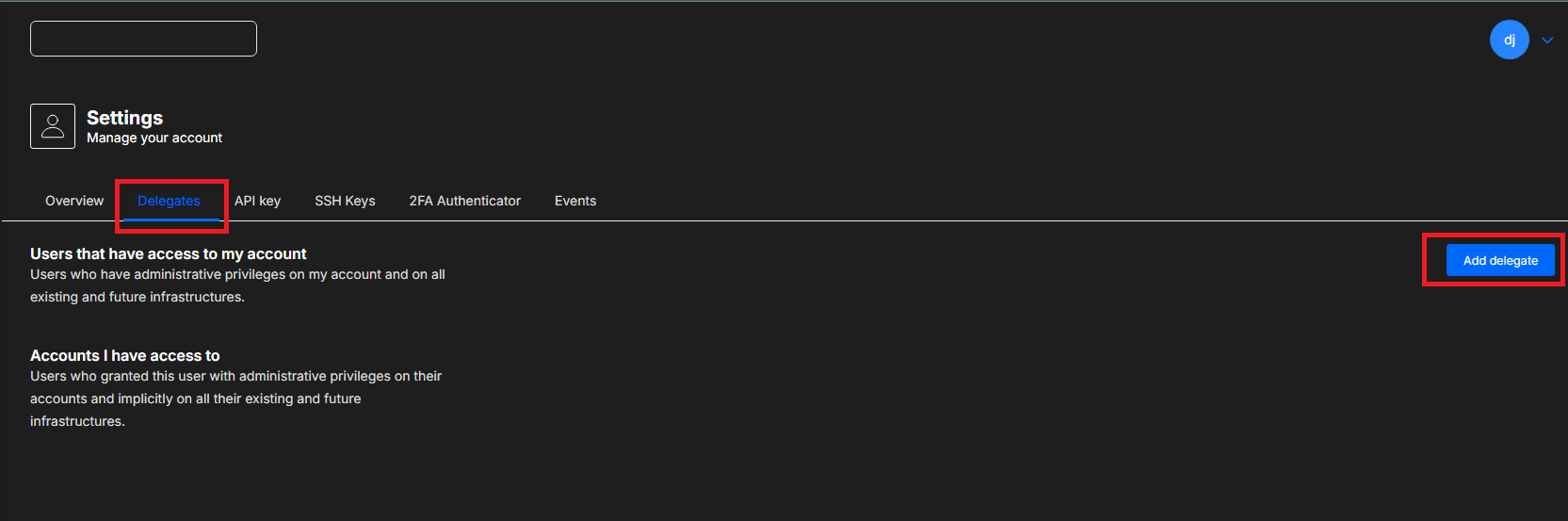
- In the next window, click on Delegates and click on Add delegate.
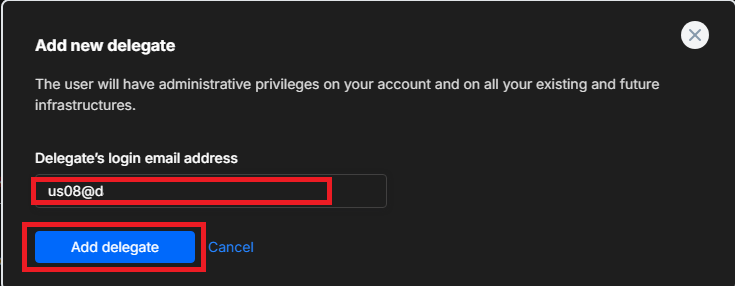
- In the
Add new delegate box, enter the login email address of the user whom you want to grant administrative privileges to and clickAdd delegate. If the user does not already have an account, MetalSoft automatically creates one and sends an activation email to the provided address.
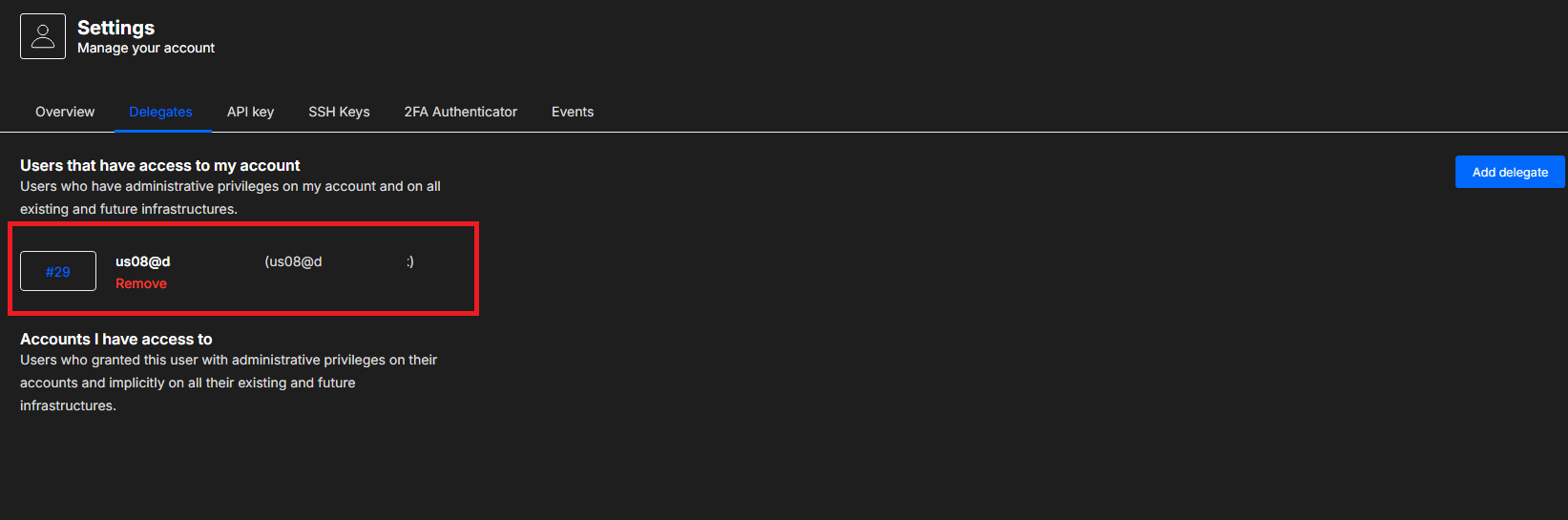
- The added user now appears under delegates. Click
Removeto remove the delegate.
Grant a user administrative rights over a single infrastructure
- From the infrastructure designer, click on
settingson the left to open the Infrastructure Settings menu.
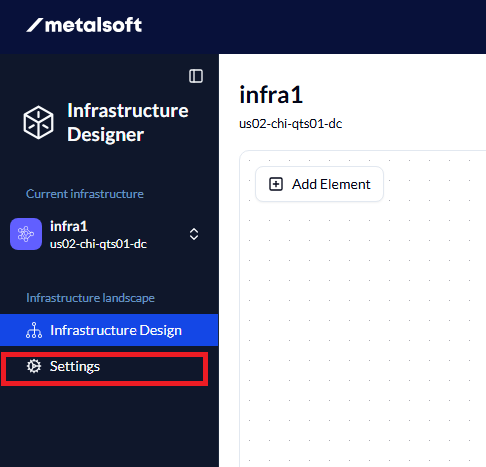
- Click on the Sharing tab.
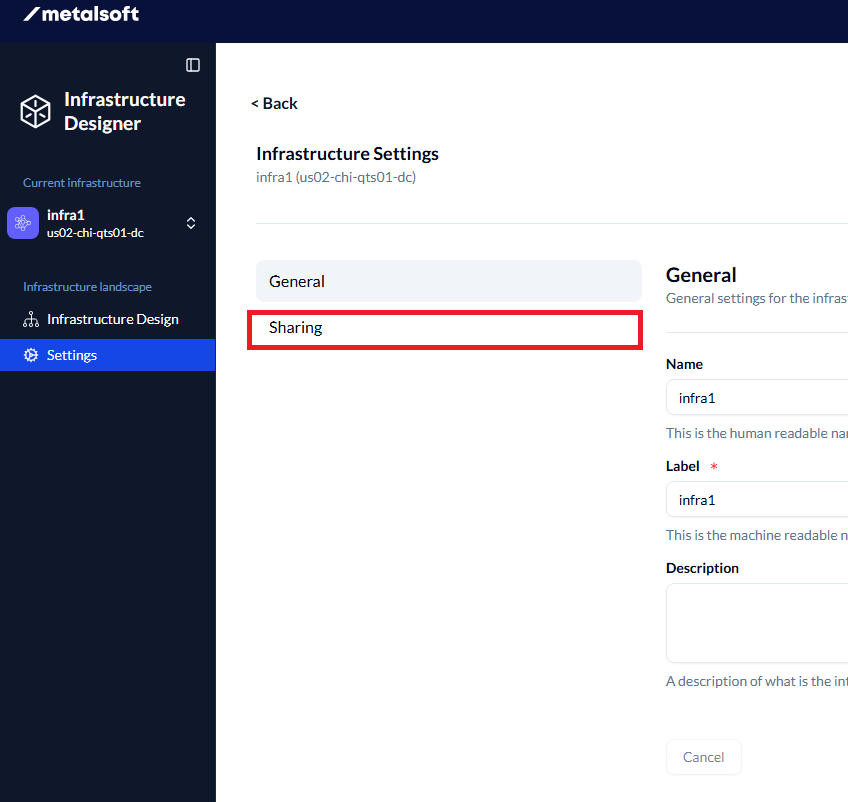
- Click on
Add Userand enter the login email address of the user whom you want to grant administrative privileges to, then click onAdd User.

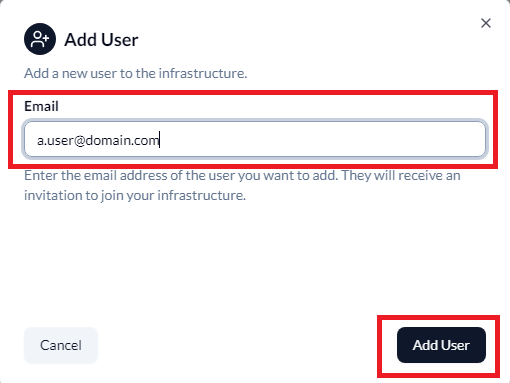
MetalSoft sends an activation email to the provided email address; once the user clicks the link in the message, they can create, edit, and deploy elements on your infrastructure.
They will only have administrative privileges over this particular infrastructure, and will not be able to access any other infrastructures that you might have or create in the future.
Users with access on all of your infrastructures through account-level sharing are also visible in this tab.
See Managing users and permissions for more details.