

Concepts
This is an IaaS service focused on offering low latency and high performance compute and storage services.
The service offers the same level of flexibility that is typical from a cloud provider but using bare metal or Virtual Machines:
- Instant provisioning
- Upgrades and downgrades
- Quick hardware change
- Variable storage size
To jump right in, use the Getting Started Guide.
Important concepts
Section titled “Important concepts”A typical user infrastructure architecture would look similar to this:
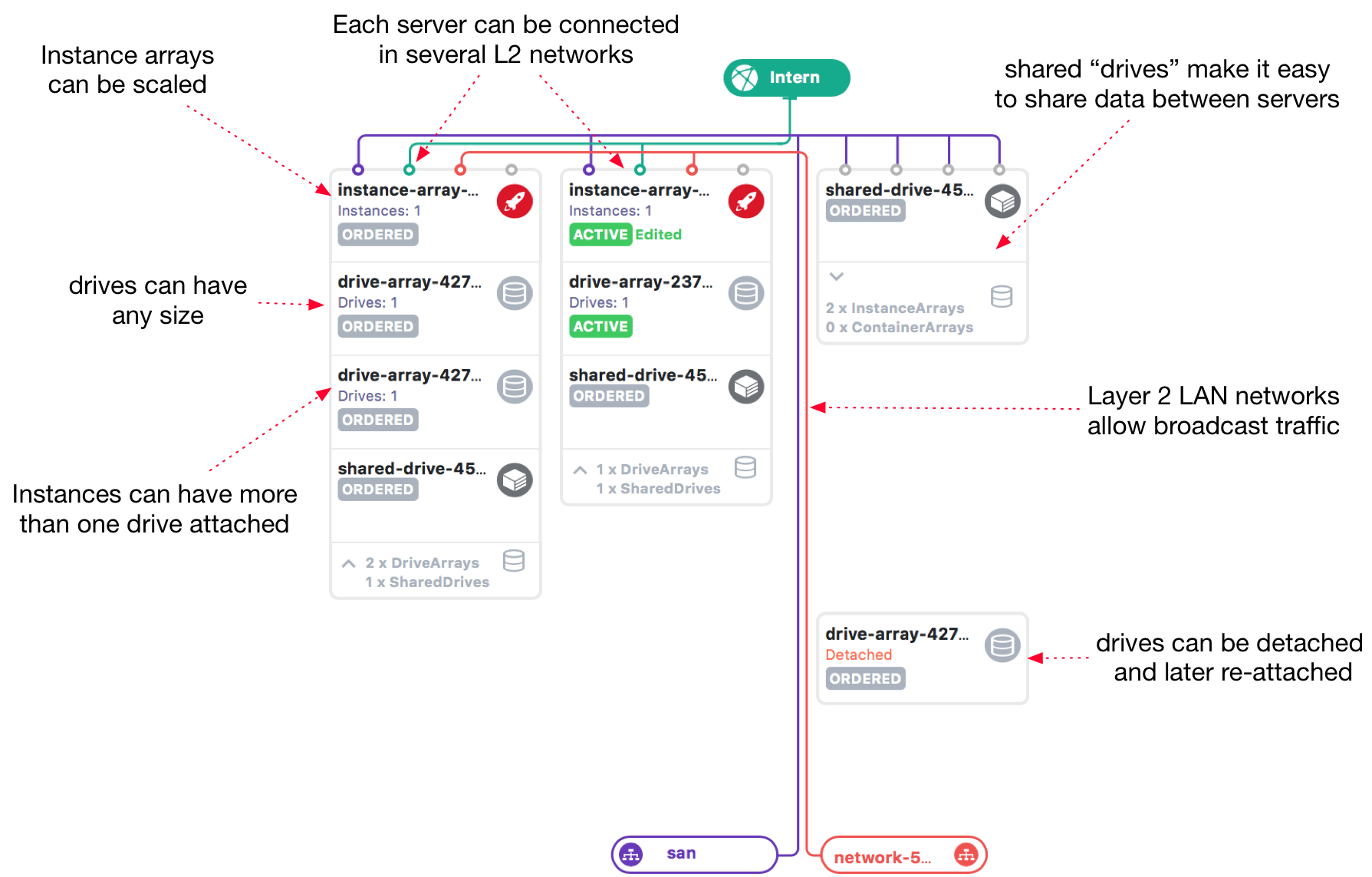
This is a screenshot from the MetalSoft UI, but the infrastructure could be created using the CLI, the Terraform provider, programmatically via the SDKs, etc.
A user would create one or more Instance Arrays in an infrastructure and connect them with one or more Networks.
-
An infrastructure groups servers, storage, IPs, etc. that are needed for a particular “project”.
-
An InstanceArray is a cluster of similar servers grouped together.
-
A Network is a dedicated Layer 2 broadcast domain.
Instance Arrays and Drive Arrays
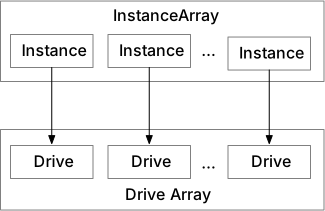
Section titled “Instance Arrays and Drive Arrays”Multiple Instances are grouped together in Instance Arrays. An Instance Array can be “resized” which means the same “InstanceArray-wide” settings will apply to the new instances. This is helpful for managing application clusters.
You can connect an InstanceArray to a DriveArray, which in turn groups Drives. Each Instance will get an associated Drive.
The separation between storage and compute enables Instance Arrays to be suspended and then resumed later, and hardware can be changed with a reboot, etc.
Infrastructures
Section titled “Infrastructures”An infrastructure is a collection of Instances and Drives in a site (availability region). From a security perspective, infrastructures are equivalent to an AWS VPC.
Servers and Instances
Section titled “Servers and Instances”Instances are logical-level concepts. Behind each Instance there is a Server, but which particular one is of no importance to the user. The server can be swapped with another while MetalSoft preserves the Instance’s properties, such as access credentials, DNS records, etc.
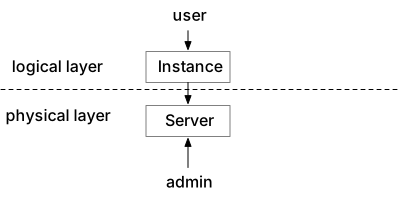
MetalSoft creates the mapping between an instance and a server at “provisioning” time, when the user “requests” a compute resource. MetalSoft can map an instance to another server if the user needs more resources or needs a replacement.
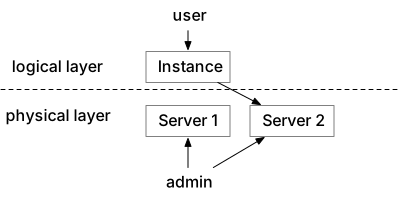
Instances have associated “Drives” and “Networks”. You can move Drives across storages, and Networks typically span multiple switches.
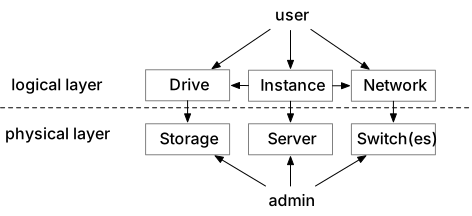
You can stop Instances, which releases the server to the pool but keeps all other configurations, such as server type, network, OS, and firewall configurations.
Metalcloud supports installing the OS on a local drive. When you release the server associated with an instance, MetalSoft wipes the content of all local drives.
Where to go from here: